This page is about the image generator built into Candy.ai, the AI girlfriend app, not a tool for candy pictures and not the separate app called CandyAI. On Candy.ai, every picture shows the face of a character, yours or one from the catalogue. You get it from a button inside the chat or from a page with a prompt box. Both cost 4 tokens per image. Video exists too, still marked beta, and is paid in tokens as well.
Below: the two ways to generate, why the chat button can stay locked, the prompt page step by step, what batches cost, how 18+ pictures relate to your plan, the three video tools, and where every file ends up. We generated our pictures on our own paid Premium account and read every price on the buttons and on the tokens and subscriptions pages. Where we did not pay for something, the video studio for instance, we say so.
In short
- Image button in a chat or Generate Image page: 4 tokens per picture either way.
- Batches of 1, 4, 16, 32 or 64: the price multiplies, up to 256 tokens for 64.
- On 163 of the 259 characters on this wiki, photo requests in the chat wait for a relationship level.
- Video, in beta: a 5-second scene video costs 12 tokens; the studio starts at 12 in Lite mode.
Two doors to the same 4-token picture
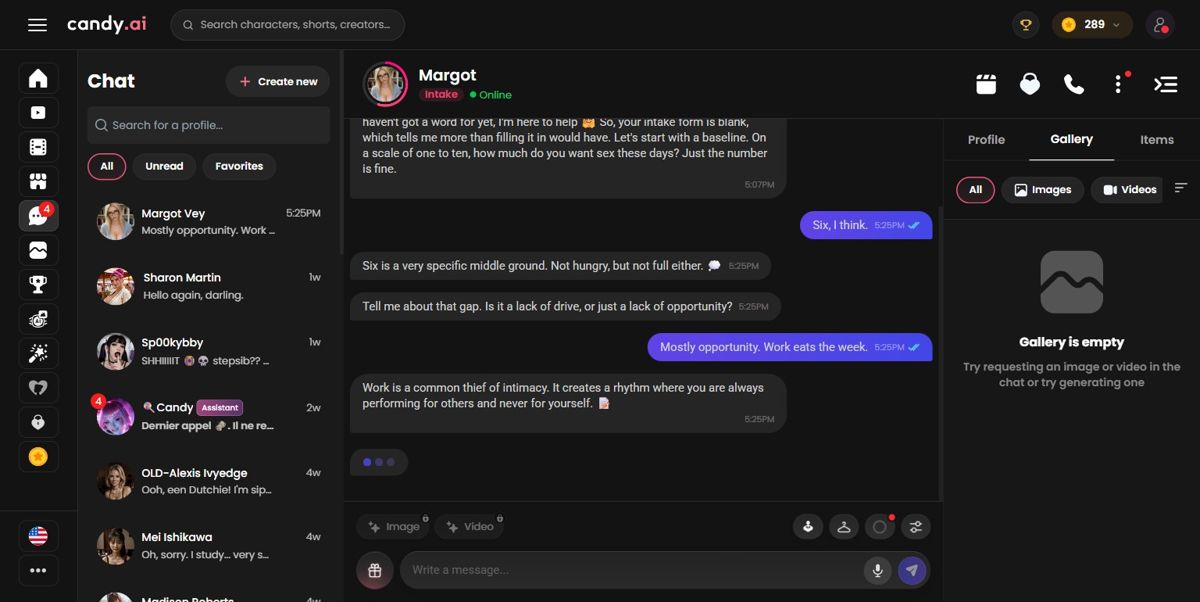
Candy gives you two ways to ask for an image because they answer two different needs. In a chat, the picture follows the scene you are writing together, so you do not describe anything. On the Generate Image page, you describe everything, and the character only lends her face. The price is identical, so choose by what you want to control.
| Image button in the chat | Generate Image page | |
|---|---|---|
| Price | 4 tokens | 4 tokens per image |
| What drives the picture | The conversation so far | Your prompt |
| Character | The one you are chatting with | Any of yours or those you chatted with |
| Quantity | One at a time | 1, 4, 16, 32 or 64 |
Why the Image button waits for a relationship level
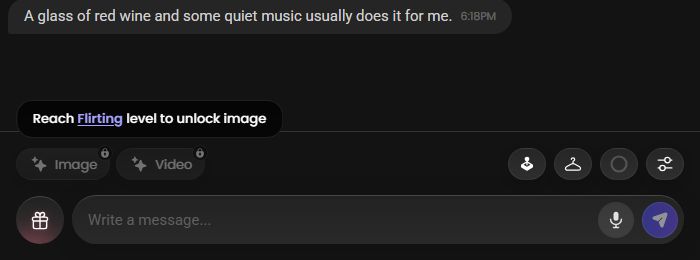
Catalogue characters ration their pictures to make the relationship matter. On a fresh chat, the in-chat request can be locked until you reach a named level, and the name differs per character. Our data counts 163 of the 259 characters with such a gate: Alexia Costa asks you to reach "Repeat fittings" before a photo, Brooklyn Ashford "Forbidden crush". Chatting raises the level for free; the relationship levels guide explains how. Until then, the Image button names the level it waits for.
The Generate Image page, from prompt to result
Open Generate Image in the left menu
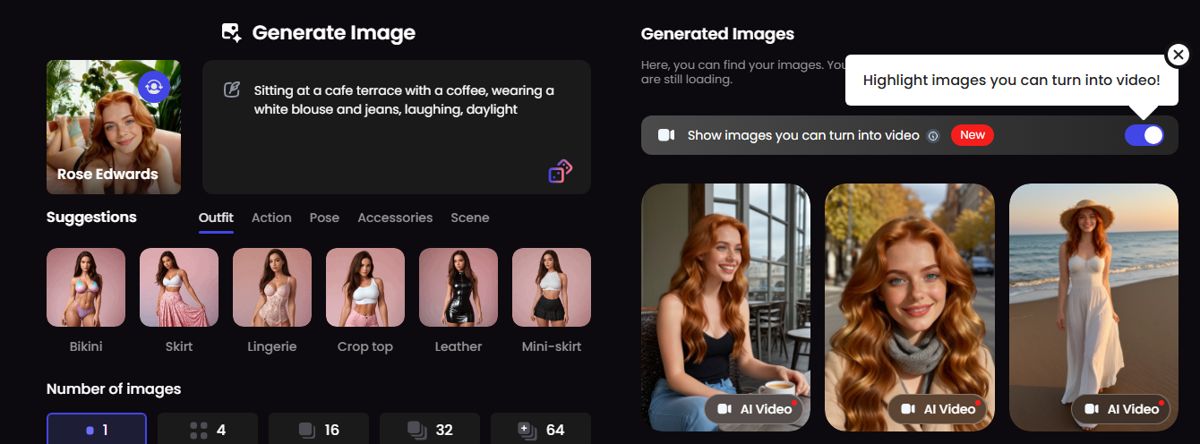
A character tile on the left, a prompt box, five tabs of suggestions, a number selector and the generate button with its price.
Choose the face
The round icon on the tile switches between your own characters and the ones you have chatted with.
Describe, or click suggestions
Outfit, Action, Pose, Accessories and Scene each open a row of thumbnails that add words to the prompt. A plain sentence works as well.
Set the number and generate
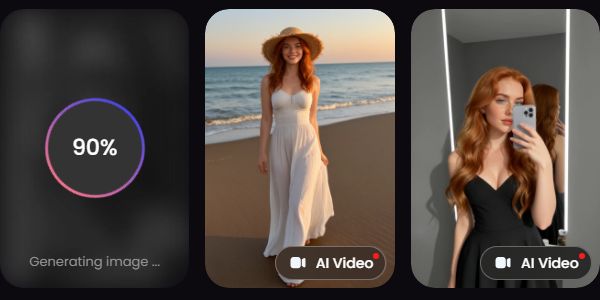
Start with 1. A progress circle fills the slot for about fifteen seconds; you can leave the page meanwhile.
Prompts the generator follows, and three that waste a picture
The model follows concrete words and ignores vague ones, because it is drawing a scene, not interpreting a mood. Our prompt "sitting at a cafe terrace with a coffee, wearing a white blouse and jeans, laughing, daylight" came back as written, with the right face and hair. Name the clothes, the place, the action and the light; leave out adjectives like "beautiful" or "sexy", which add nothing the face does not already carry. On a character you built, the look chosen in the creator is the base every prompt starts from.
What a batch costs before you press the button
Batching multiplies the price without a discount, so the selector is the most expensive control on the page. The button shows the total before you click, and the balance moves by that amount. During a sale on the site we saw the debit fall under the printed 4 tokens; outside one, count 4 per picture.
| Images | Tokens | Share of the 100 Premium tokens |
|---|---|---|
| 1 | 4 | 4% |
| 4 | 16 | 16% |
| 16 | 64 | 64% |
| 32 | 128 | More than a month |
| 64 | 256 | Two and a half months |
A careful week of pictures: three single tests to fix a prompt (12 tokens), then one batch of 4 on the version that worked (16): 28 tokens for seven images and seven chances to adjust. A batch of 16 on the first try costs 64 tokens for one untested prompt. More on balances in the tokens guide.
18+ pictures depend on your plan, not on the prompt
Adult pictures are listed among the Premium benefits on the subscriptions page, next to 18+ videos and unlimited messages. That is why no wording unlocks them on the free plan, which includes one image in total. On a paid plan, what a character sends also depends on the chat settings and on her relationship level. The NSFW settings guide lists the switches; the free plan guide covers the single free picture.
Video: three tools still marked beta
Video is newer than images and priced the same way, in tokens, with the price printed on the button. We have not generated a video ourselves, so the table only holds prices shown on the account.
| Tool | Where | Price shown |
|---|---|---|
| Video button in the chat | Next to Image, locked by level on catalogue chats | Tokens, per request |
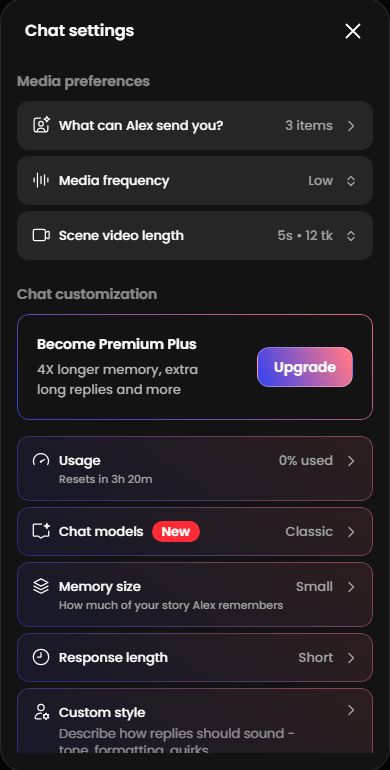
| Scene video | Chat settings, scene video length 5 seconds | 12 tokens |
| AI Video from a picture | Toggle on the Generate Image page, badge on eligible pictures | Not shown before starting |
| Create video studio | Its own page, Lite and Pro modes | 12 tokens in Lite |
Longer clips and the Pro mode cost more, and the page gives no unit price until a generation starts. The studio presets on our account are explicit, so there is no screenshot of it here.
Where every picture lands, and the setting that spends for you
Nothing needs saving. Each picture goes to the Gallery tab of the character's chat and to the Collection page in the left menu, grouped by character with a count. The setting to check is Media frequency in the chat settings: it decides how often a character sends pictures on her own, and those are paid like the ones you ask for. Low keeps every image a decision, and it is set per chat, so check it on each character you talk to often.
FAQ
How much is one image on Candy AI?
4 tokens, from the chat or the Generate Image page. A batch of 4 is 16 tokens and a batch of 64 is 256.
Is the Candy AI image generator free?
No. The free plan includes one image in total. After that you need a paid plan and tokens; Premium's 100 monthly tokens cover 25 pictures.
Can I write my own prompts?
Yes, on the Generate Image page. Concrete clothes, places, actions and light work best, and five suggestion tabs help build the prompt.
Why can I not ask her for a photo in the chat?
Her relationship level is too low. Many catalogue characters unlock photos at a named level, and chatting raises it for free.
Does Candy AI generate videos?
Yes, in beta. A 5-second scene video costs 12 tokens, the studio starts at 12 in Lite mode, and pictures can be turned into video.
Where are my generated images saved?
In the Collection page, grouped by character, and in the Gallery tab of each chat. They are stored for you.
See also